
Team Settings
Use team settings when you want to manage how your broader organization works in Cloud, including access, membership, and shared integrations.
In Cosine Cloud, all work belongs to a team workspace. If you use Cosine on your own, your account still operates as a team of one.
What you manage in Team Settings
Section titled “What you manage in Team Settings”Depending on your plan and enabled features, team settings can include:
- Members and invites for adding people to the workspace
- Roles and permissions that define who can administer the team
- Team-wide integrations shared across multiple projects
- Billing and subscription settings where billing is managed at the team level
- Shared infrastructure settings such as DNS or other team-scoped configuration
Team vs Project settings
Section titled “Team vs Project settings”Use Team Settings for configuration that should apply across the workspace.
Use Project Settings for configuration that only applies to a single project, such as repository connections, CI check selection, or deployment options.
Navigating to Team Settings
Section titled “Navigating to Team Settings”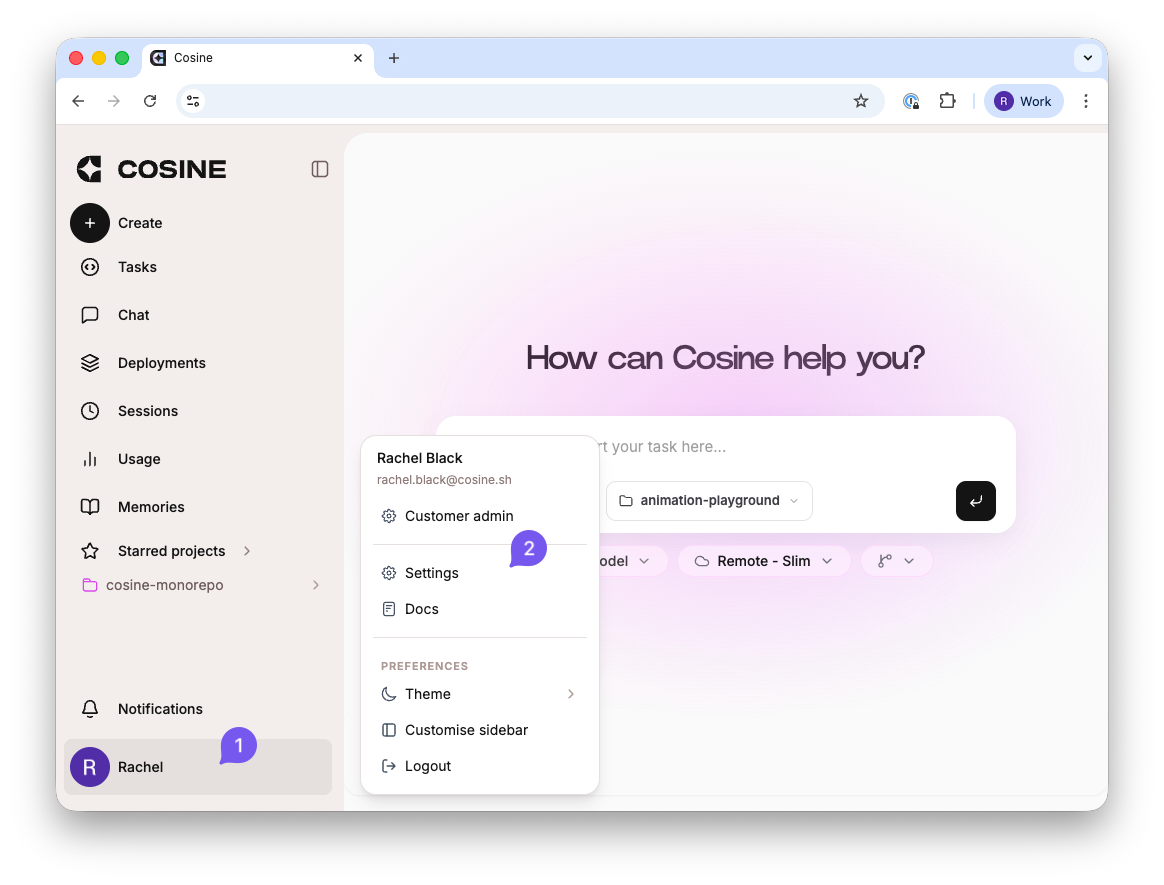
- Click on your user profile in the bottom-left corner, then 2. selecting “settings.
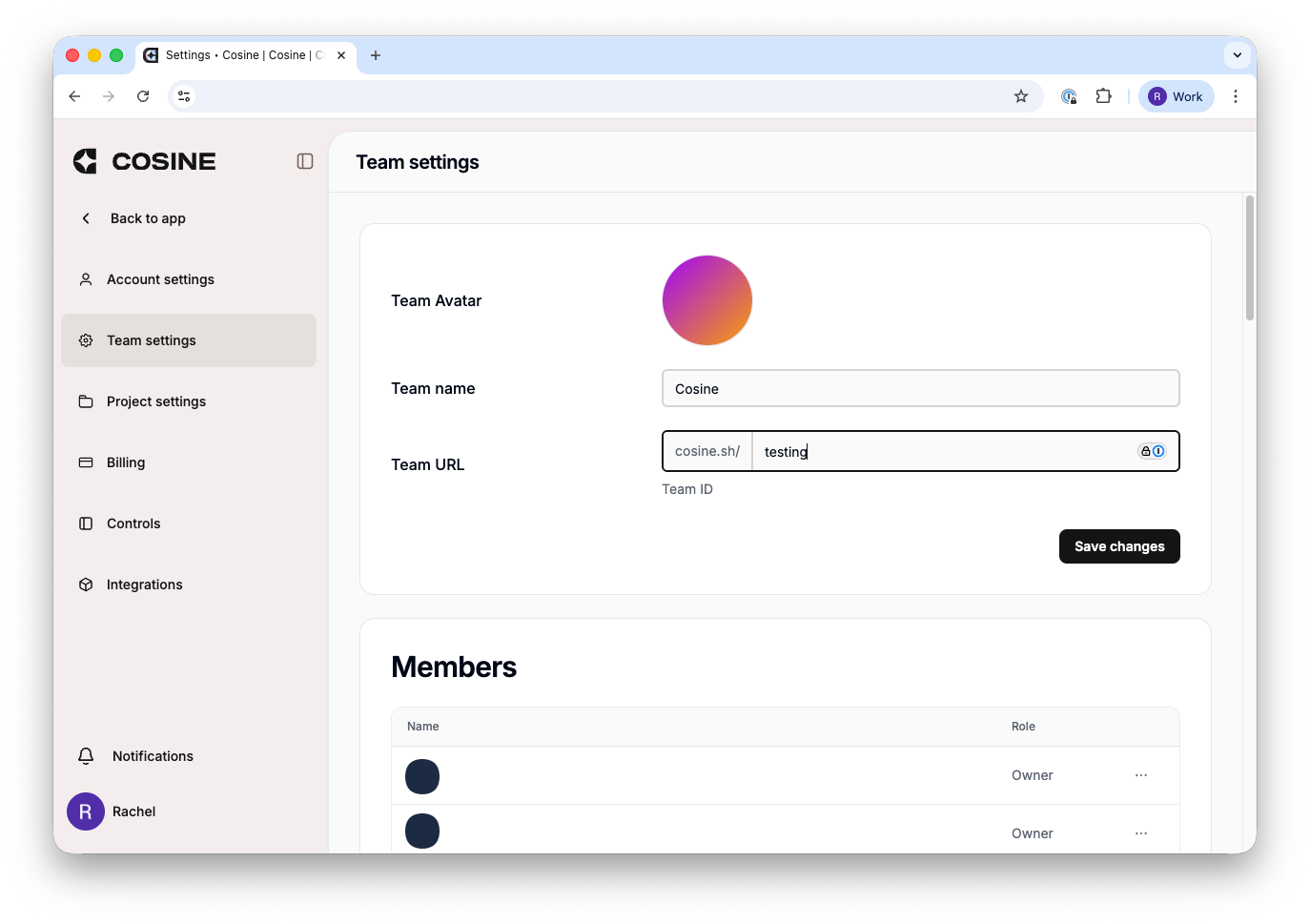
Select team settings.