
Project Settings
Project settings control how an individual project behaves in Cosine Cloud.
In Cosine Cloud, a project is the repository-level workspace created when you import a GitHub repository.
Use project settings when you want to configure repository-specific workflows, validation, and deployment behavior for one project without affecting the rest of the team.
What you manage in Project Settings
Section titled “What you manage in Project Settings”Depending on the integrations and features enabled for the project, project settings can include:
- Repository and branch configuration for the connected codebase
- CI check selection for the workflows Cosine should watch on pull requests
- Pull request and merge behavior tied to the project workflow
- Project-level integrations such as deployment providers
- Hosting settings such as Instant Sites production subdomains and custom domains
Managing projects
Section titled “Managing projects”- Adding a new project: Click New Project from the main dashboard and follow the import flow.
- Removing a project: Navigate to the project’s settings and select Delete Project.
Note: Deleting a project is irreversible. Make sure you no longer need Cosine’s access to it before proceeding.
- Reinitializing a project: If Cosine encounters issues with a project, use Reinitialize Project in settings to sync it with the latest state of your repository.
Project vs Team settings
Section titled “Project vs Team settings”Use Project Settings for configuration that is specific to one project.
Use Team Settings for workspace-wide configuration such as members, roles, and shared access.
Navigating to Project Settings
Section titled “Navigating to Project Settings”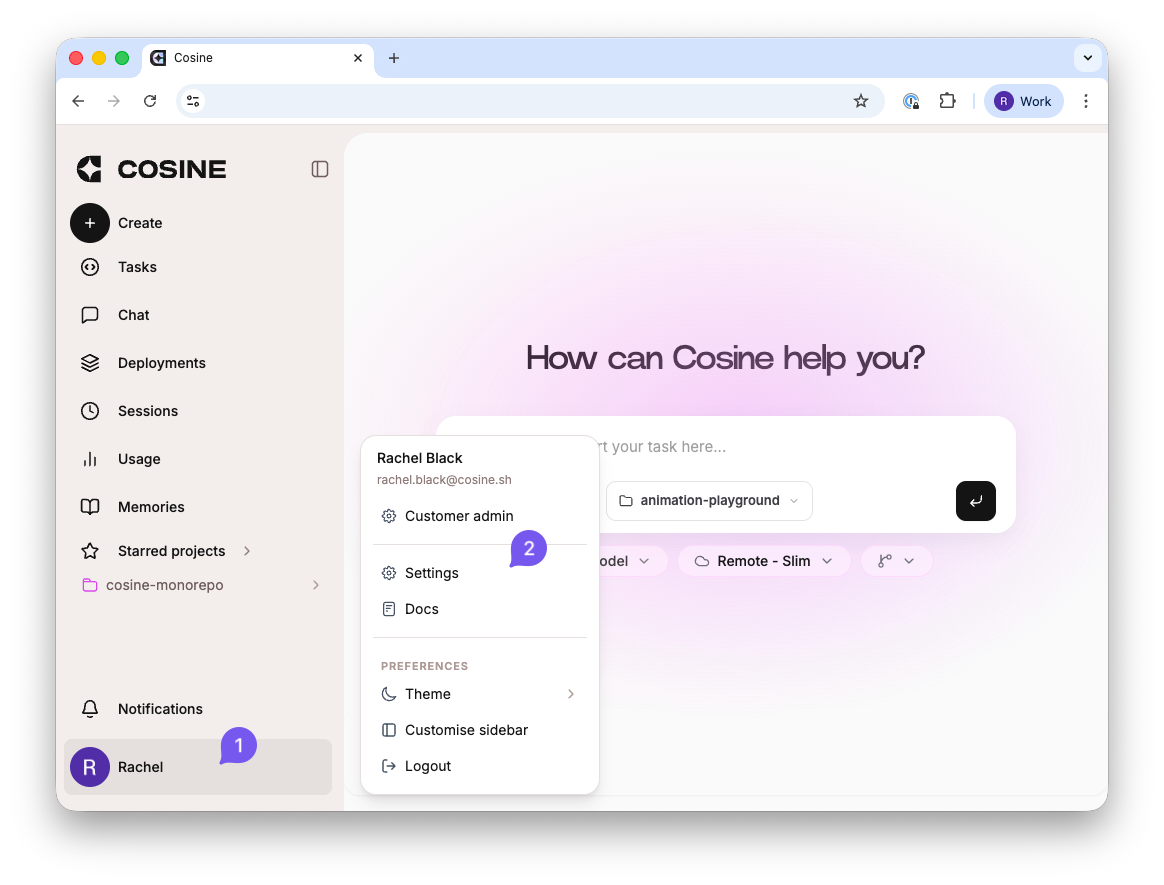
- Click on your user profile in the bottom-left corner, then 2. selecting “Settings”.
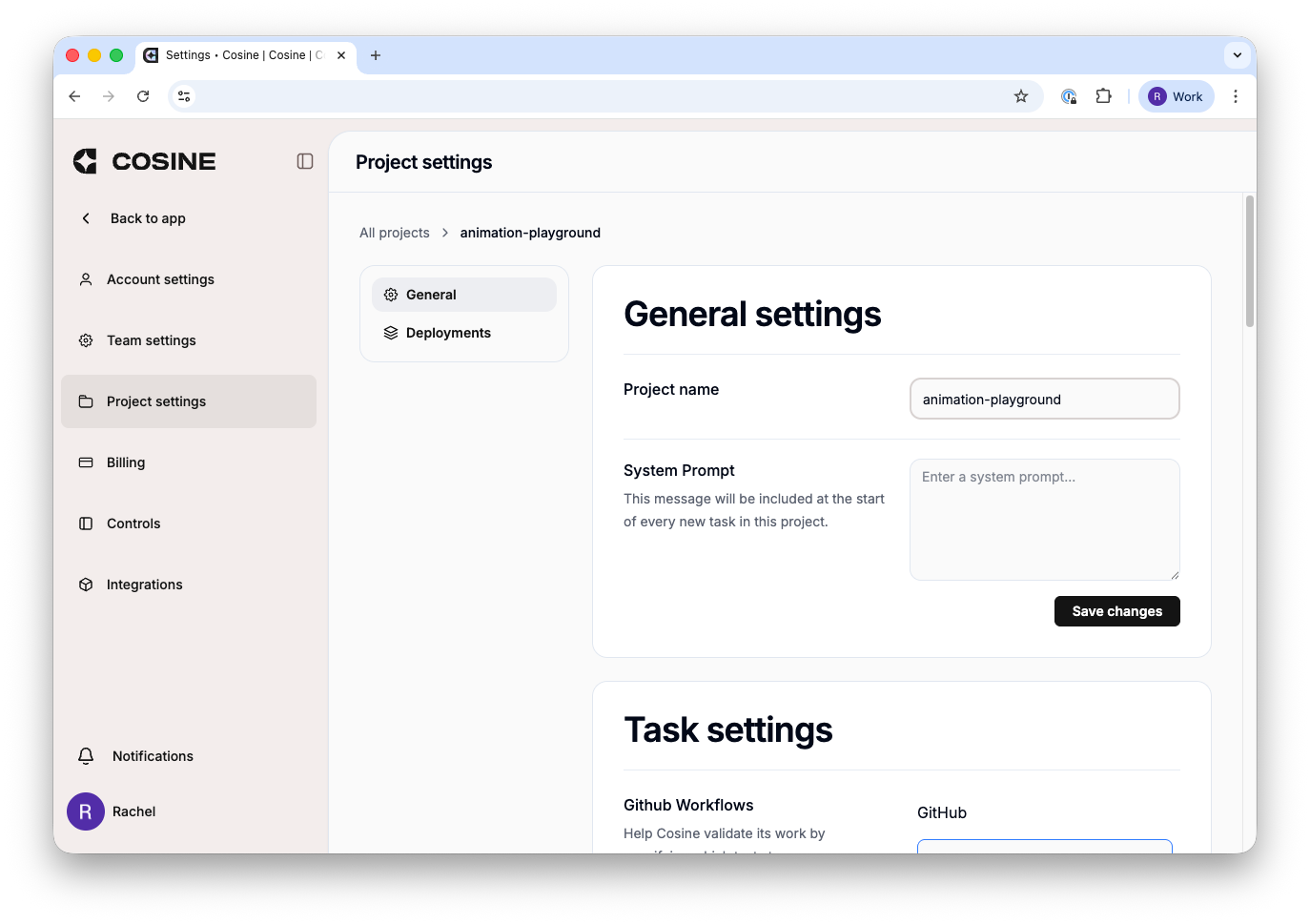
Select project settings.