
Linear
Overview
Section titled “Overview”Integrating Cosine with Linear streamlines your workflow by effortlessly creating Cosine tasks directly from your Linear tickets.
Configure
Section titled “Configure”To integrate Linear:
- Navigate to the Integrations page in your Cosine team.
- Select Linear from available integrations
- Select Enable to initiate the connection
Note: You must have Linear admin permissions to complete this integration
How it works
Section titled “How it works”With the Linear integration successfully enabled, you can easily initiate Cosine tasks:
Using Custom Cosine Labels
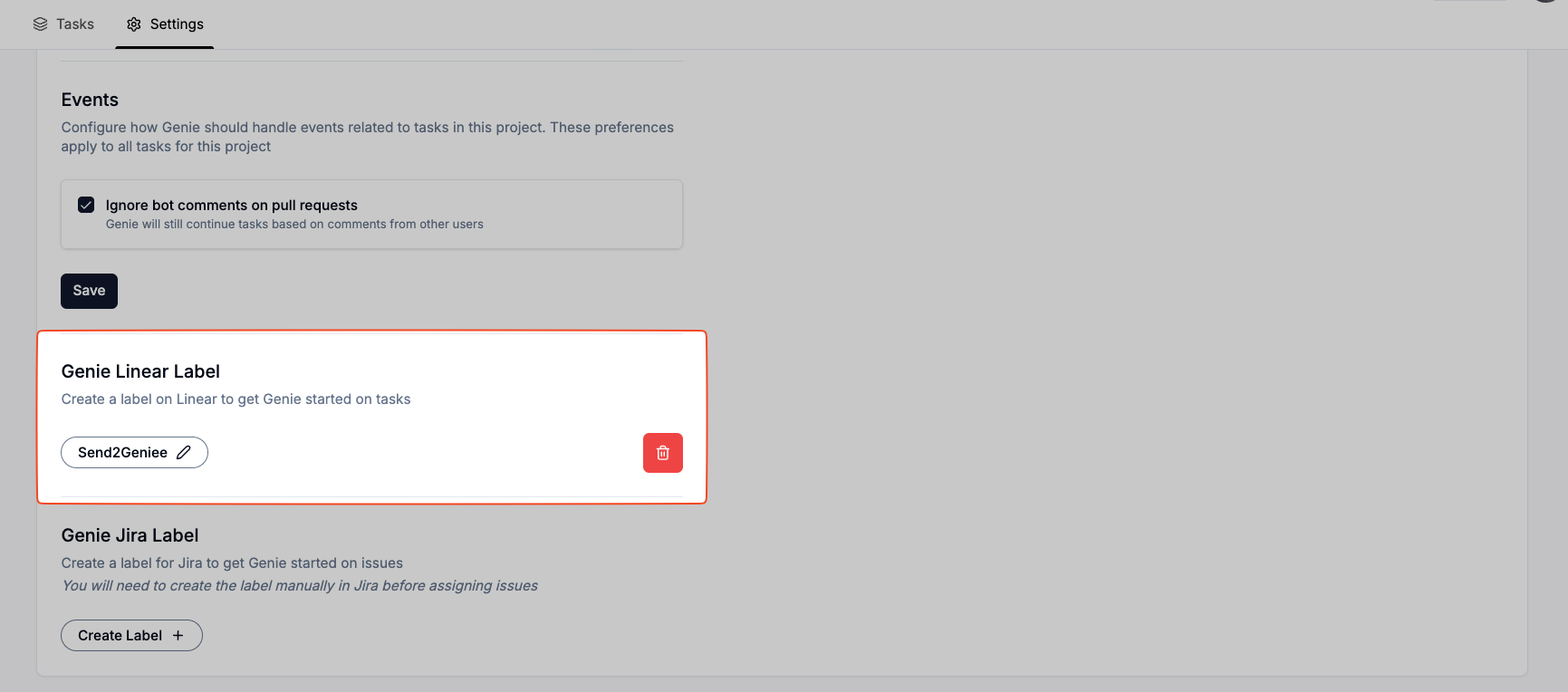
Section titled “Using Custom Cosine Labels”- Set up a unique custom label in your project (e.g.,
SendToCosine).
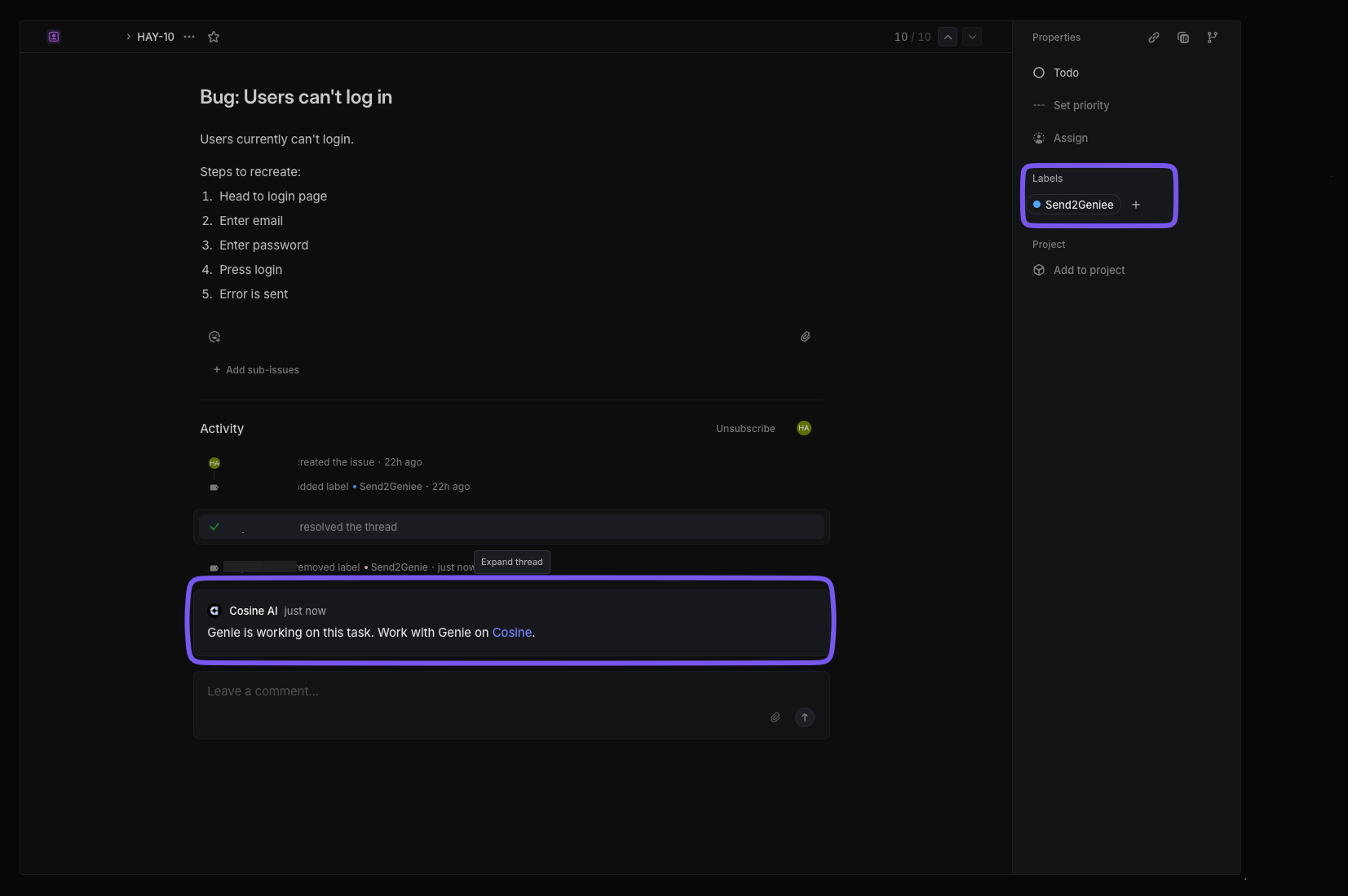
- Adding this label to any Linear ticket automatically creates a Cosine task using the ticket’s context. Cosine will also post the newly created task link to the Linear ticket, allowing others to see that a task has been created.
Selecting Linear Tickets in Cosine
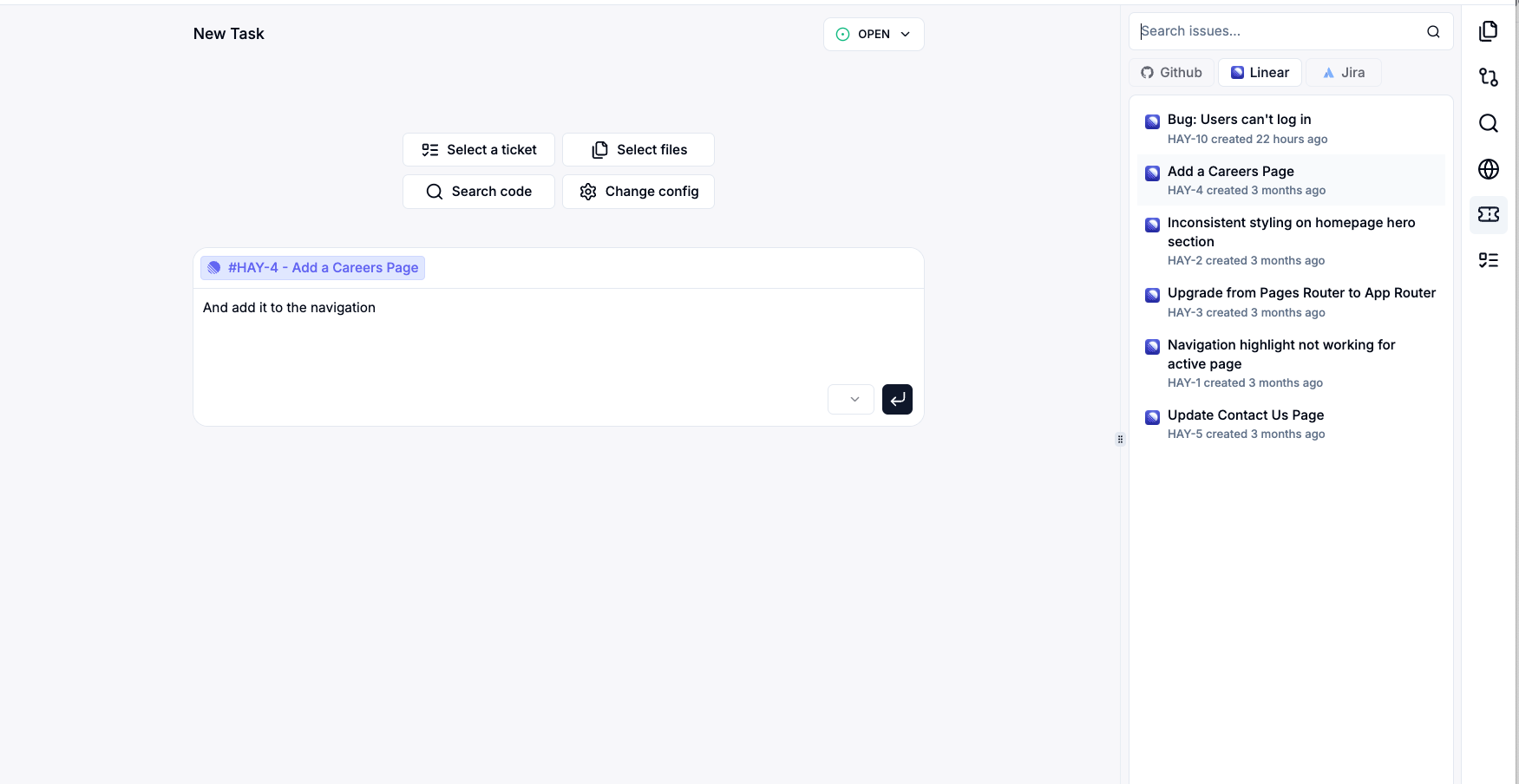
Section titled “Selecting Linear Tickets in Cosine”When creating a new task in Cosine, you can:
- View your Linear tickets
- Select one to serve as context for the new task
- Optionally add a prompt or additional details before coming task creation
Configuring Custom Cosine Labels
Section titled “Configuring Custom Cosine Labels”Easily manage custom labels by visiting your project’s settings within Cosine. Here you can create, update, or delete labels. Labels must be unique across your Linear instance.