A technical deep dive into Cosine CLI: the agent runtime behind terminal-native engineering, with LSP integration, MCP tool connectivity, multi-agent orchestration, and local-to-remote execution.
Terminal-native coding agents are no longer new. The industry has already converged on the idea that real software work happens through tools: reading files, running commands, editing code, checking diagnostics, and iterating in a real environment.
Sustaining real engineering work across files, tools, and environments is now the critical factor for agentic systems.
Cosine was built from that premise. It starts where developers already work, locally, inside the terminal, and extends seamlessly into remote execution, parallel work, and headless automation without changing your underlying workflow.
The terminal is the entry point. The runtime is the product.
This post is a technical look at that runtime: how it works, why it is designed around execution rather than conversation, and what that enables in practice.

From interfaces to runtimes
Software engineering, at its core, is a stateful execution loop: inspect the codebase, plan the change, edit files, run tests, handle failures, iterate, and sometimes move the work onto bigger infrastructure.
While many AI tools remain on the periphery of this loop, the Cosine architecture is designed for native integration within it.
The critical component is the system that executes the work.
Terminal as the continuous control surface
The terminal serves as the optimal interface for the execution system.
It already reaches across the environments where engineering happens: local development, SSH, containers, CI, and remote machines. It composes with existing tooling instead of forcing the workflow into a narrower interface.
That makes it the right control plane for a runtime that needs to stay continuous as the task moves between environments.
The Cosine CLI functions as a comprehensive execution system, not merely a wrapper around a language model.
Inside that runtime, the model can inspect code, edit files, run commands, read diagnostics, use external tools, maintain working state, checkpoint progress, and coordinate subagents when a problem can be parallelized.
The distinction is functional, not cosmetic.
Complex tasks, such as "update auth middleware, change the schema, run tests, and fix the breakages", are processed as a sequence of observable operations on the live system, rather than as a monolithic response.
Execution continuity: local, remote, headless
One of the core design principles in CLI is continuity.
The same runtime can operate across three execution forms. In local use, the agent runs directly on your machine, within your environment, making it fast and well-suited to real repo work.
In remote use, the interface stays local while execution moves to managed infrastructure, so longer-running or heavier tasks can continue without blocking your machine. In headless mode, the runtime can be invoked without a UI, making it usable in CI/CD, automation, and externally scheduled workflows.
The essential factors are the shared runtime, a consistent mental model, and a unified workflow across all execution forms, even when the control surface changes.
You can start locally, move work to remote execution, and automate headlessly without changing how the system operates.
LSP for code intelligence and MCP for tool connectivity
A useful agent needs both understanding and reach.
The CLI integrates the Language Server Protocol (LSP) to provide agents with an IDE-grade structural awareness of the codebase.
This enables symbol-level navigation, accurate definition/reference resolution, post-edit diagnostics, and secure refactoring – elevating the system from simple text manipulation to structured code interaction.
Model Context Protocol (MCP) extends that same runtime into the wider system. Through MCP, the agent can work across tools and services, including GitHub, Slack, Jira, Linear, databases, APIs, file systems, browser automation, and internal services. That matters because real engineering work rarely lives in a single repository.
LSP gives the agent understanding. MCP gives it reach.
Orchestration and parallelism
CLI exposes three higher-autonomy modes over the same runtime – Plan, Auto, and Swarm – alongside a default manual mode.
Plan is for safe exploration and decomposition before any changes are made. Auto is for end-to-end execution once the task is well defined. Swarm is for breaking larger tasks into parallel tracks and coordinating subagents across them. As tasks get longer and more complex, coordination becomes the bottleneck. Parallelism and task structure are first-class concerns, not afterthoughts.
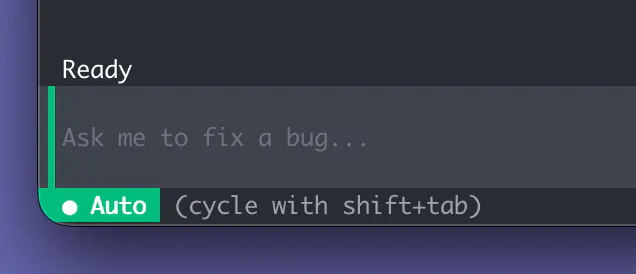
Terminal UI
The terminal UI (TUI) exposes the complete runtime state and is designed for execution visibility, not for conversational simulation. Execution is made legible through streaming actions, trackable progress across multi-step work, and reversible, git-backed checkpoints. This design integrates humans and agents within a single operational loop.
Our primary objective is execution observability and controllability.
Model-agnostic by design
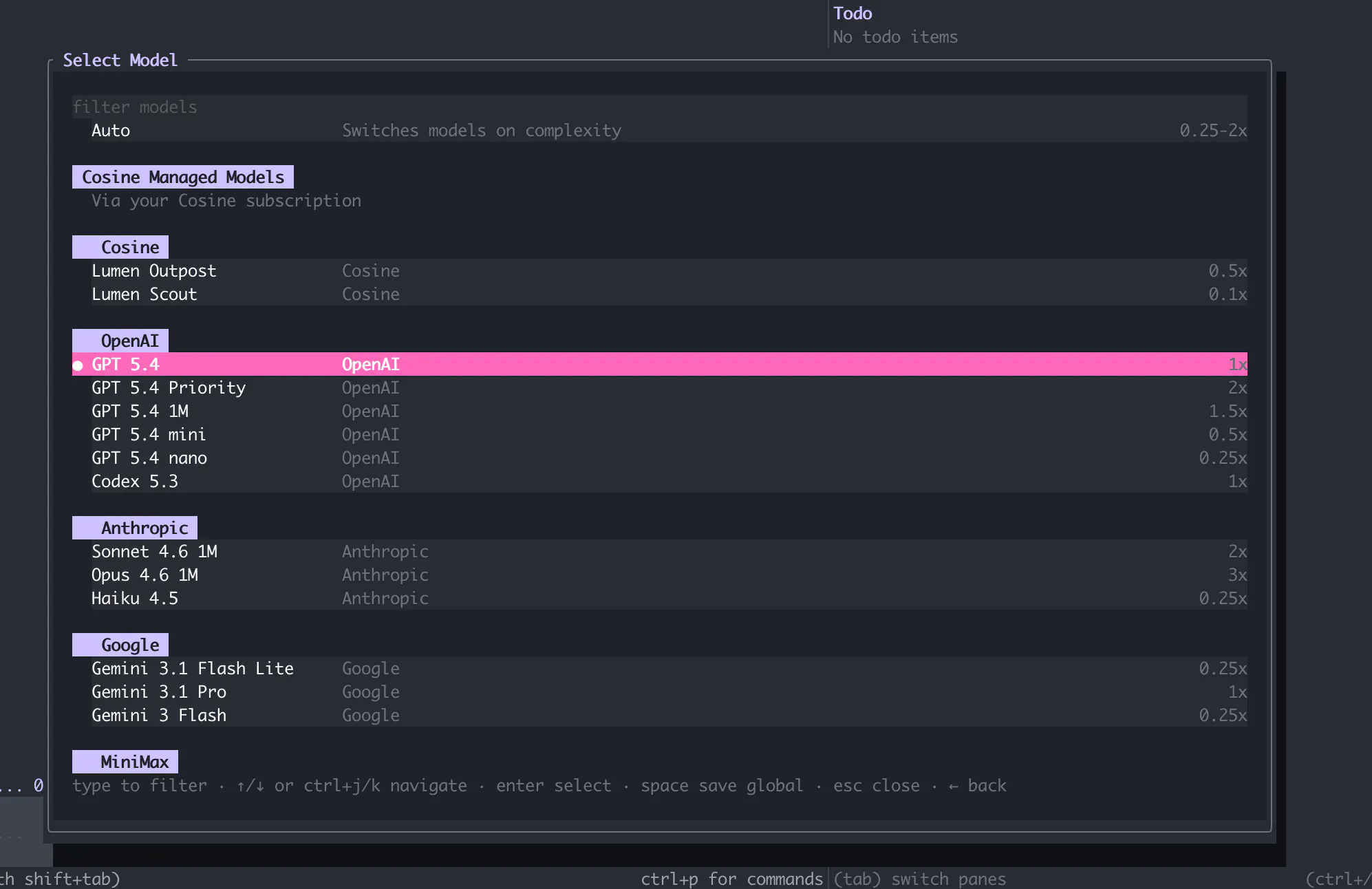
CLI supports multiple frontier models through a routing layer. Different tasks require different tradeoffs in speed, cost, latency, and reasoning depth. The runtime abstracts that, so teams can switch or route between models without changing the workflow around them.
The model is the engine. The runtime is the system that makes it useful.
Our design principles
Cosine's architecture is founded on a core principle: an AI engineer must perform as production-grade software, not as a demo.
That leads to a few clear biases. Work should begin locally, because real environments matter. Remote execution should be seamless, because local capacity is finite. Code interaction should be structured, which is why LSP is part of the runtime. Tool access should extend beyond the repo, which is why MCP matters. Changes should be reversible, and parallel work should be a primitive rather than an afterthought.
Enabling system continuity
This discussion isn't terminal versus IDE or local versus cloud – that misses the key paradigm shift. The critical metric is system continuity: consistent operation across environments, tools, and the full spectrum of tasks from interactive scripts to persistent engineering projects.
The CLI is the entry point. The runtime is the system.
As software engineering becomes more agent-driven, that system – how work is executed, coordinated, and scaled – matters more than the interface or the model alone.
Put the full power of the Cosine runtime to work in your terminal. Available in macOS, Windows, and Linux.
- macOS: brew install CosineAI/tap/cos
- Windows: winget add Cosine.CLI
- Linux: curl -fsSL https://cosine.sh/install | bash
For more information about Cosine CLI, read our official documentation.