
 @RobGibson20
 From today, Cosine now supports Bitbucket Cloud with an official integration. Your team can now bring Bitbucket repositories into Cosine and delegate real engineering work, enabling our AI coding agent to collaborate on your codebase like a human teammate.
Cosine can create branches, push commits, and open pull requests automatically, so you can assign work asynchronously and review a ready-to-merge PR on Bitbucket.
Bitbucket integration overview
Previously, users had to import from a URL for Bitbucket repositories. We’ve now introduced first-party support.
Once connected, Cosine can:
- Import Bitbucket Cloud repositories into Cosine projects
- Create and push branches to your repositories
- Open pull requests automatically when a task results in code changes
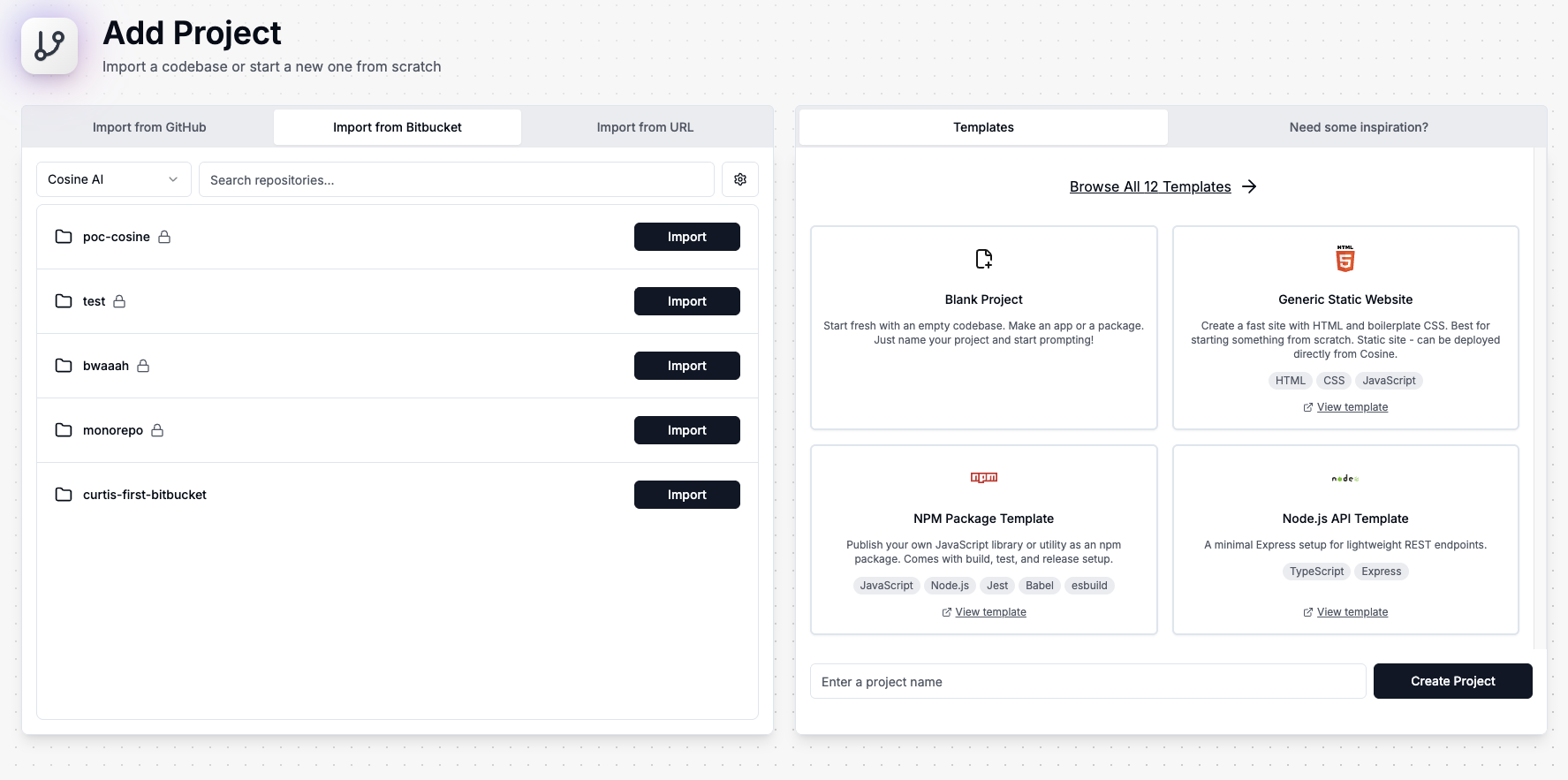
Bring existing codebases into the platform, reduce context switching, and sit back as Cosine handles PR automation, including commit messages, descriptions, and notifications for when they’re ready to review.
In the current release, Bitbucket pull requests need to be reviewed in Bitbucket rather than inside Cosine, but you’ll still get the full asynchronous, agentic workflow from the moment a task starts through to a ready-to-review PR. We’re actively working on bringing Bitbucket PR reviews directly into the Cosine platform.
Connect Bitbucket Cloud to Cosine
Connecting Bitbucket is simple. Once integrated, you can seamlessly import Bitbucket repositories into Cosine projects with just a few clicks.
- Step 1: Go to Integrations → Bitbucket
- Step 2: Read steps and permissions
- Step 3: Authorise Cosine via the OAuth consent screen
- Step 4: Import repos to Cosine projects
- Step 5: Run a first task → Cosine opens a PR
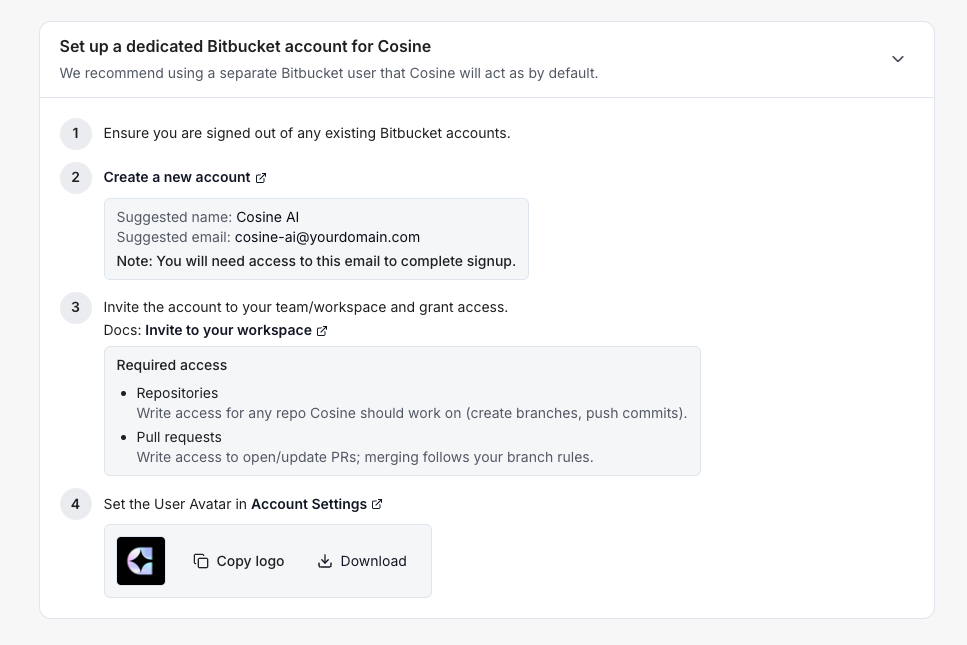
For clearer audit trails, we recommend creating a dedicated Bitbucket user for Cosine-generated commits and pull requests. This makes it easy to distinguish agent actions from human developers, which is especially useful across large teams or multiple workspaces.
Want to disconnect? No problem. You can revoke access at any time from within Cosine or directly in Bitbucket settings.
Refer to the installation guide in our official documentation to ensure a successful connection.
Designed to fit your stack
With this new integration, Cosine becomes even more flexible, extending our support for Git-based workspaces.
By supporting more repo platforms, Cosine fits more naturally into your existing workflows, letting you:
- Delegate more engineering work to our AI agent, from bug fixes to feature implementation
- Work asynchronously by kicking off a task and reviewing the PR later, complete with CI results
- Stay in control with a clear PR history and safe previews of changes before merging
Note: This release supports Bitbucket Cloud. For information on integrating Bitbucket Data Center/Server, please reach out to the team.
Available now on all plans. If you’re a Bitbucket user, we’d love to hear how it’s working for you.
.png)